Thursday, October 20, 2016

Chapter 7 understanding output

What is Output
-Output is data that has been processed into a useful form.
-An output device is any type of hardware component that conveys information to one or more people.

Display Devices
-A display device visually conveys text. graphics, and video information 
-A monitor is packaged as a separate peripheral.

Liquid crystal display (LCD) 
uses a liquid compound to present information on a display device.The quality of an LCD monitor or LCD screen depends primarily on
-Resolution 
-Response time
-Brightness 
-Dot pitch
-Contrast ratio

Resolution 
is the number of horizontal and vertical pixels in a display device.

Plasma monitors 
are display devices that use gas plasma technology and offer screen sizes up to 150 inches.

HDTV
 is the most advanced form of digital television.

A CRT monitor is a desktop monitor that contains a cathode-ray tube.

Printers

A printer produces text and graphic on a physical medium.

-A non-impact printer forms characters and graphics on a piece of paper without actually striking the paper.

-An ink-jet printer forms characters and graphics by spraying tiny drops of liquid ink onto a piece of paper.

-A multi-function peripheral (MFP) is a single device that prints, scans, copies, and in some cases, faxes.

-A thermal printer generates images by pushing electrically heated pins against the heat-sensitive paper.

-A mobile printer is a small, lightweight, battery-powered printer that allows a mobile user to print from a, notebook computer, smart phone, or other mobile device.

-A label printer is a small printer that prints on adhesive-type material

-Plotters 
used to produce high-quality drawings

-Large-format printers 
create photo-realistic quality color prints on larger scale

Speakers, Headphones, and Earbuds

An audio output device produces music, speech, or other sounds.

-Headphones 
are speakers that cover of the ear.

-Earbuds 
(also called earphones) rest inside the ear canal.

Other Output Devices


An interactive whiteboard is a touch-sensitive device, resembling a dry-erase board, that displays the image on a connected computer screen.

Chapter 6 Understand Input

What is Input?
-Input is any data instructions entered into the memory of a computer.Instructions can be entered into the computer in the form of programs, commands, and user responses.

-Input device is any hardware component that allows users to enter data and instructions into a computer.

The Keyboard
-an input device that contains keys users press to enter data and instructions into a computer.
-Most desktop computer keyboards have between 101 and 105 keys, function keys, CTRL keys, ALT keys, and arrow keys. A numeric keypad on the right side of the keyboard.

-The insertion point is a symbol on the screen that indicates where the next character you type will appear.

-An ergonomic keyboard has a design that reduces the chance of wrist and hand injuries. Ergonomics incorporates comfort, efficiency, and safety into the design of the workplace.

Mouse
-A mouse is a pointing device that fits under your hand comfortably. A mouse can be wired or wireless.
Other Pointing Devices : Trackball ,Touchpad ,Pointing Stick 

Touch Screens and Touch-Sensitive Pads
-A touch screen is a touch-sensitive display device

Pen Input
With pen input, you touch stylus or digital pen on a flat surface to write, draw, or make selections.

Game Controllers
Video games and computer games uses a game controller as the input device that directs movements and actions of on-screen objects such as gamepads, joysticks and wheels, light guns, dance pads, and motion-sensing controllers.

Digital Cameras
A digital camera is a mobile device that allows users to take pictures and store them digitally. There are Studio cameras, Field cameras, and Point-and-shoot cameras.
Two factors affect the quality of digital camera photos : 
-Resolution - is the number of horizontal and vertical pixels in a display device. 
-Number of bits stored in each pixel - each pixel consists of one or more bits of data. The more bits used to represent a pixel, the more colors and shade of gray that can be represented.

Voice Input
-Voice input is the process of entering input by speaking into a microphone.
-Voice recognition is the computer's capability of distinguishing spoken words.
-Audio input is the process of entering any sound into the computer like : Speech, Music, Sound Effects.

Video Input
-Video Input is the process of capturing full-motion images and storing them on a computer's storage medium.
-A Web cam is a type of digital video camera that enables user to : Capture video and still images, Make video telephone calls, and add live images to instant messages.
-A video conference is a meeting between two or more geographically separated people.

Scanner and reading devices 
-Optical character recognition (OCR) involves reading characters from ordinary documents.
-A turnaround document is a document you return to the company that creates and sends it.
-A bar code reader, also called a bar code scanner users laser beams to read bar codes.
- Magnetic stripe card readers read the magnetic stripe on the back of cards such as : Credit cards, Entertainment cards, Bank cards, Other similar cards.

Biometric input 
-Biometrics authenticates a person’s identity by verifying a personal characteristic

-Fingerprint reader
-Face recognition system
-Hand geometry system
-Voice verification system
-Signature verification system
-Iris recognition system
-Retinal scanners


Chapter 5 type of utility programs nad operating systems

Chapter 5 : Type of utility Programs and operating systems 
System Software
System Software consists of 2 programs that control or maintain the operations of the computer and its devices.
  1. Operating Systems - is a set of programs containing instructions that work together to coordinates all the activities among computer hardware resources.
Utility program - type of system software that allows a user to perform maintenance-type tasks
Operating System Functions
  • The process of starting or restarting a computer is called booting.Cold boot is turning on a computer that has been powered off completely.
  • Warm boot is using the operating system to restart a computer.
A boot drive is the drive from which your computer starts.You can boot from a boot disk.A recovery disk contains a few system files that will start the computer.


• Sleep mode saves any open documents and programs to RAM, turns off all unneeded functions, 
and then places the computer in a low-power state
• Hibernate saves any open documents and programs to a hard disk before removing power from 
the computer 

User interface controls how you enter data and instructions and how information is 
displayed on the screen .A command-line interface, a user uses the keyboard to enter data 
and instructions. 

How an operating system handles programs directly affects your productivity .
-single user and multiuser 
- single tasking and multi tasking 
- fore background and background 
-Preemptive multitasking 
-Multi processing 

Memory management optimises the use of RAM.Virtual memory is a portion of a storage 
medium functioning as a additional RAM.

A driver is a small program that tells the operating system how to communicate with a 
specific device. Plug and Play automatically configures new devices as you install them.

Operating systems typically provide a means to establish Internet connections

A performance monitor is a program that assesses and reports information about various 
computer resources and devices.
Operating systems often provide users with the capability of : 
-managing files 
-uninstalling programs
-searching for files 
-cleaning up disks 
-backing up files and disks
-viewing images
-defragmenting disks
-setting up screen savers 
-securing a computer 
-diagnosing problems

Automatic update - automatically provides updates to the program
Server operating system - organises and coordinates how multiple users access and share 
resources on a network.

Type of Operating system 
-Stand-alone 
-Server
-embedded 

Stand-alone Operating system 
A stand-alone operating system is a complete operating system that works on a desktop 
computer, notebook computer, or mobile computing device . 

Windows 7 is a Microsoft's fastest, most efficient operating system to date and is available 
in multiple editions: 
-Windows 7 Starter 
-Windows 7 Home Premium
-Windows 7 Ultimate 
-Windows 7 Professional
Macintosh operating system has set the standard for operating system ease of use. 
Latest version is Mac OS X.
UNIX is a multitasking operating system developed in the early 1970s.
Linux is an open-source popular, multitasking UNIX-type operating system.

Server Operating systems
-Windows server 2008 
-UNIX
-Linux
-Solaris 
-Netware

Windows Server 2008 is an upgraded Windows Server of 2003

Embedded Operating system
Embedded operating system -resides on a ROM chip on a mobile device or consumer 
electronic device.

Utility Programs 
-is a type of system software that allows a user to perform maintenance-type tasks
File manager - is a utility that performs functions related to file management 
For example:
-Displaying a list of files
-Organising files in folder
-Copying, renaming, deleting, moving, and sorting files and folders 
-Creating shortcuts 

A search utility is a program that attempts to locate a file on your computer based on 
criteria you specify.

An image viewer allows users to display, copy, and print the contents of a graphic file.

An uninstaller removes a program, as well as any associated entries in the system files.

A disk cleanup utility searches for and removes unnecessary files.

A disk defragmenter reorganizes the files and unused space on a computer's hard disk so 
that the operating system accesses data more quickly and programs run faster.

A backup utility allows users to copy files to another storage.

A restore utility reverses the process and returns backed up files to their original form.

Screen saver causes a display of a moving image if no activity occurs for a specified time.

Personal firewall detects and protects a personal computer from unauthorized intruders.

A virus damage the computer program and affects the computer potentially. 

A worm copies itself repeatedly in memory or over a network. 

A Trojan horse hides within or looks like legitimate program. 

An antivirus program protects a computer against viruses.

Spyware is a program placed on a computer without the user's knowledge that secretly 
collects information about the user.

Spyware remover detects and delete spyware and other similar programs.

Adware displays an online advertisement in a banner or pop-up window. 

An adware remover is a program that detects and deletes adware.


    Chapter 4

    Chapter 4 : System Unit Components 

    System unit
    is a case that contains electronic components of the computer used to process data .

    Inside system unit have :

    1. Drive bay
    2. Power supply 
    3. Sound card 
    4. Video card 
    5. Processor 
    6. Memory 
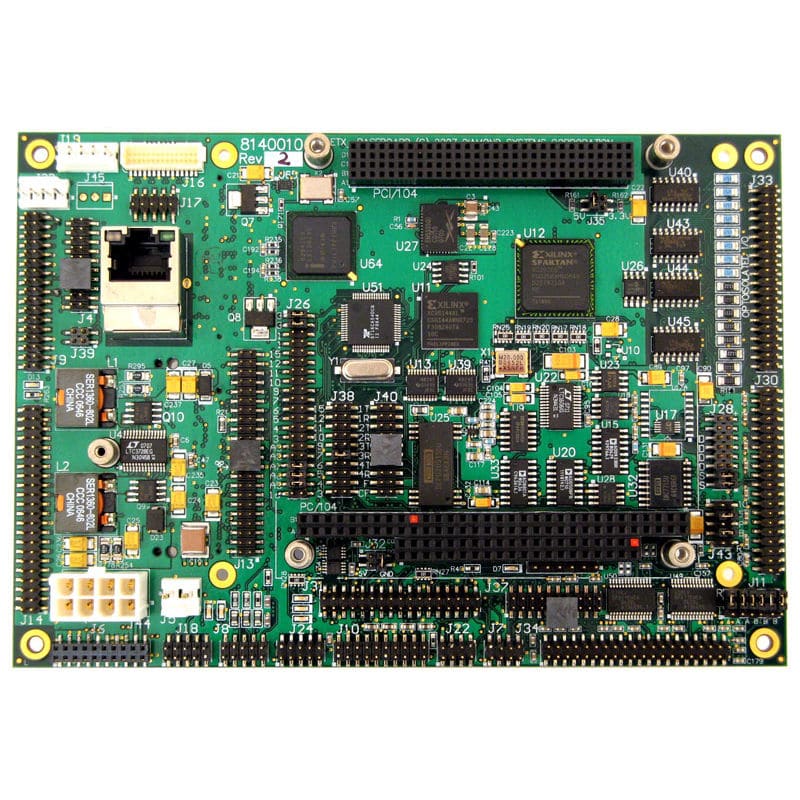
    Motherboard - Main circuit board of the system unit

    Processor 
    Processor also known as Central Processing Unit (CPU), interprets and carries out the basic instructions that operate a computer and contain a control unit and an arithmetic logic unit(ALU)

    Have 3 different processor : Multicore processor , Dual-core processor ,  Quad-core Processor 

    Control units -
    is a components of the processor that directs and coordinates most of the operations in the computer

    Arithmetic logic unit (ALU) - Performs arithmetic , comparison , and  other  operations

    Systems clock - Controls the timing of all computer operations . The pace of the systems clock is called the clock speed , and is measured in gigahertz

    A processor chips generates heat that could cause the chips burn up so require a cooling systems to cool it down like Heat sinks and Liquid cooling technology .

    Data representation 
    Analog - signals are continuous and vary in strength and quality
    Digital -  signals are in one of two states : on or off

    The Binary system uses two unique digits (0 and 1)

    ASCII(American standard Code For Information Interchange) is the most widely used coding scheme to represent data

    How a letter is converted to binary  form and back 

    • Step 1 : Press 'T' (Shift + T keys ) on the keyboard which in turn creates a special code , called scan code .
    • Step 2 : The scan code for the capital letter T is sent to the system units
    • Step 3 : The system unit converts the scan code for the capital letter T to its ASCII Binary code  and stores its in its memory for processing.
    • Step 4 : After processing , the binary code for the capital letter T is converted to an image and display on the output 
    Memory
    Memory consists of electronic components that stores instructions waiting to be executed by processor ,data needed by those instructions . 

    Memory size is measured in kilobytes(K) , megabytes (MB) , gigabytes (GB) , terabytes (TB)

    The system unit contains two types of memory 
    Volatile memory - contains will lose when power off 
    Non-volatile memory - contains will not lose when power off

    Three basics type of RAM
    1. Dynamic RAM(DRAM)
    2. Static RAM (SRAM)
    3. Magnetoresistive RAM(MRAM)
    RAM chips is locate on a memory module and inserted into memory slots .The amount of RAM is important and its depends on types of software you using 

    Memory cache - speeds the processes of the computer because it stores frequently used instructions and data 

    Flash memory - can be erased and rewritten 

    Expansion slots and Adapter cards
    Expansion slots is a sockets on the mother board that can hold an adapter card 

    Adapter card enhances functions of a component or provides connections to peripherals like sounds card and Video card

    Removable flash memory - Memory cards , USB Flash drives , and PC Cards 

    Port and Connectors 
    Port - peripheral attaches to or communicates with a system unit


    Chapter 3

    Chapter 3  : Software for systems 
    Application Software - Program that designed to make users more productive 

    1. To make business activities more efficient 
    2. To assist with graphics or multimedia projects 
    3. To support home , personal , and educational tasks 
    4. To facilitate communications 

     Application software in variety forms :
    1. Packaged software        
    2. custom software 
    3. Web application 
    4. Open source software 
    5. shareware 
    6. Freeware
    7. Public-domain software 
    Business Software 
    Business software is a application software that assists people while doing business activities .
    For example , 
    Word Processing -allow users to create and manipulate documents
    Spreadsheet - allows users to organise  data in a rows or columns and perform calculation
    Database  - collection of data organised in a manner  that allows access, retrieval , and use of that data
    Presentation  - allows users to create visual aids for presentation to communicate ideas , messages , and other information to a group 
    Note taking  - enables users to enter typed text , handwritten , comments , drawings ,or sketches on a page
    Personal information manager  -  is a application software that include appointment calendar , address book , Notepad 
    Project management - allows user to plan schedule , track , and analyze the events , resources , and costs of a project 
    Accounting - helps companies record their financial transactions 
    Document management -  provides a means for sharing , distributing and searching through documents by converting them into a format that can viewed by other users  
    Enterprise computing software - special computing solutions for various functional units 

    Graphics and multimedia software 
    1. Computer-aided design software (CAD)
    2. Desktop publishing software 
    3. Paint/image editing software 
    4. Profesional photo editing software 
    5. Multimedia authoring software


    Software for home , personal , educational use 
    1. Personal finance software 
    2. legal software
    3. tax preparation software 
    4. Personal DTP software 
    5. Personal Paint/ image editing software 
    6. personal photo editing software 
    7. Clipart 
    8. Video and audio editing software 
    9. Home design software
    10. Travel and mapping software
    11. Reference software
    12. Educational software 
    13. entertainment software 


    Web application
    - websites that allows users to access and interact with software from any computer or device that is connected to internet 

    Application software for communications 
    1. web browser 
    2. E-mail
    3. Instant Messaging
    4. Chat room 
    5. Text , picture , video messaging 
    6. RSS Aggregator 
    7. Blogging
    8. Newsgroup 
    9. FTP
    10. VoIP
    11. Video conferencing 
    Learning tools for applications software 
    Online Help - is a electronic equivalent of a user manual
    Web-based training - is a type of CBT that uses Internet technology and consists of application software on the web 
    Distance learning - Delivery of education at one location while learning takes place at other locations .

    Computer application Chapter 2

    Chapter 2 : Fundamentals of the world wide web and internet 
    Internet is a worldwide collection of network that links millions of business , government agencies , educational institutions , and individuals


    Evolution of internet 
    1969 ARPANET becomes functional (Internet originated as ARPANET)
    1984 ARPANET has more than  1000 computer links to host
    1986 NSF Connects to ARPANET and becomes  internet
    1995 NSF net terminates its network on the internet and resumes status as research network
    1996 internet2  founded
    Now more than 550 million hosts connect to the internet

    Many house users connect to the internet by using high speed broadband internet .For example , Cable Internet service , DSL , Fiber to the premises FTTP, Fixed wireless , Cellular Radio Network , Wifi, Satellite Inter Service

    IP address -  number that uniquely identifies each computer or devices that connected to the internet

    Domain name - text for your IP address

    DNS Servers - Translates domain name into its IP address

    The World Wide Net
    World wide net consists of worldwide collection of web pages

    Web sites is a collection of related web pages and associated items

    Web servers is a computer  that delivers request web pages to your computer

    Web 2.0 is a websites that provides a means for users to interacts

    There are many browser such as Internet explorer , Firefox , Opera , Safari , Google Chrome . Browser allow user to access web pages or web 2.0 program

    Home pages is the first things that displays in web sites .Web pages provide other links to other web pages ,in other words is surfing the web. Process of receiving information from web pages is called Downloading .

    A web pages has a unique address called a URL or Web address

    There are 13 type of Web sites : Portal , News , Informational , Business/Marketing , Blog , Wiki ,  Online Social Network , Educational , Entertainment , Advocacy , Web application , Content Aggregator , Personal .

    E-Commerce 
    E-commerce is a business transaction that occurs over an electronic network .

    Other internet services 
    E-mail is a transmission of messages and files via a computer network. E-mail program allows to create , send , receive , forward , store , print , and delete e-mail messages

    Instant messaging (IM) is a real time internet communications service

    A Chat is a real time typed conversation that takes place on a computer

    VoIP(Voice over IP) allow users to speak to other user over internet

    FTP(File Transfer Protocol) is an internet standard that permits file uploading and downloading with other computers on the internet


    Computer Application Chapter 1

      Actually we need to create blog at the first class , to share what we learned in the class . Since i create this blog by today , So .... i gonna summarise all the things that i learned about Computer Application . Our final exam is around the corner , so i take this as a revision though .....

      Computer Applications Chapter 1 
    Actually i started my class when the lecturer teaching chapter 6 if no mistake . So chapter 1 until chapter 5 i just figure it myself with note and my friend .Luckily these few chapter is easy if not i kinda stress right now .

    Chapter 1 : Basic introduction to Computers 
    In this chapter we learn about Computer ......

    What is computer ?
    Computer is an electronic device, that operating under the control of instruction stored in its own memory.

    Components of a computer  
    Hardware - electric , electronic , mechanical components thats contains in a computer

    Input device                   - allow to enter data and instructions to computer

    Output device                 - hardware component that conveys  information to one or more people

    system unit                     - used to process data

    Storage device                - writes or reads items to and from storage media

    Communications device - Enables a computer to send or receive data , instructions ,and information                                             to and from one or more computers or mobile devices

    Advantages and Disadvantages of using computer.
    Advantages - Speed                            Disadvantages - Health risks
                        - Reliability                                             - Violation of privacy
                        - Consistency                                           - Public safety
                        - Storage                                                   - Impact on labor force
                        - Communications                                    - Impact on environment

    Green Computing
    -reducing the electricity consumed and environmental waste generated when using a computer.

    Network and Internet 
    A network is computer and devices connected together usually wireless ,for example communications devices and transmission devices .

    Internet is a worldwide collection of network that many businesses, government agencies ,educational institutions ,and individuals .

    Software 
    Software/program - allow to tell the computer what to do and how to do .

    how we put the software into computer?
    Installing - process of setting up software into computer and other hardware .


    Categories of Computers 

    Personal Computer 
    A personal computer can perform all of its input , processing, output , and storage activities itself

                            Desktop Computer 


    Mobile computer 
    Just like personal computer but allow to carry around

                       notebook computer


    Mobile device
    A computing devices in smaller sizes


    Game consoles
    mobile computing devices that usually for gaming


    Servers
    Control access to the hardware , software , and other resources


    Mainframes 
    Can handle hundred or thousand of connected users simultaneously 

    Supercomputers 
    Capable of processing more than one quadrillion instruction in a second


    Embedded Computers
    Special-purpose computer that only functions as a component in a larger product